Access your files through a Web FolderAccess your files through a Web Folder


What are Web Folders?

A Web Folder is a virtual drive which contents (files and folders) are hosted on a website. This folder uses WebDAV technology / DAV Protocol and you can work with your files as if they were on your local hard drive. So you can access your files from any computer connected to the Internet!
 

How to install a Web Folder:

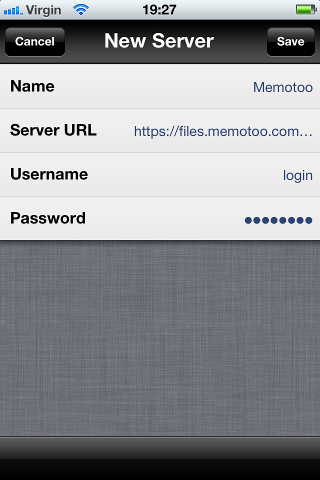
with iPhone / iPadiPhone

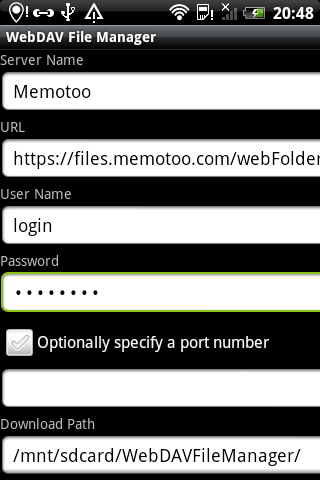
with Android (Phone and tablet)Android

with Windows Vista / Windows 7Windows Vista

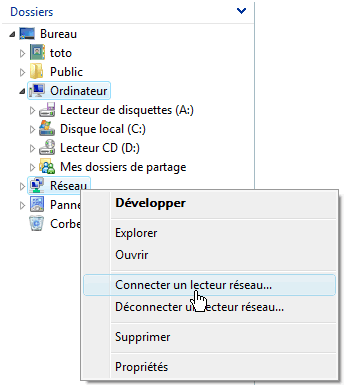
1 Go to "Add a Network Location"
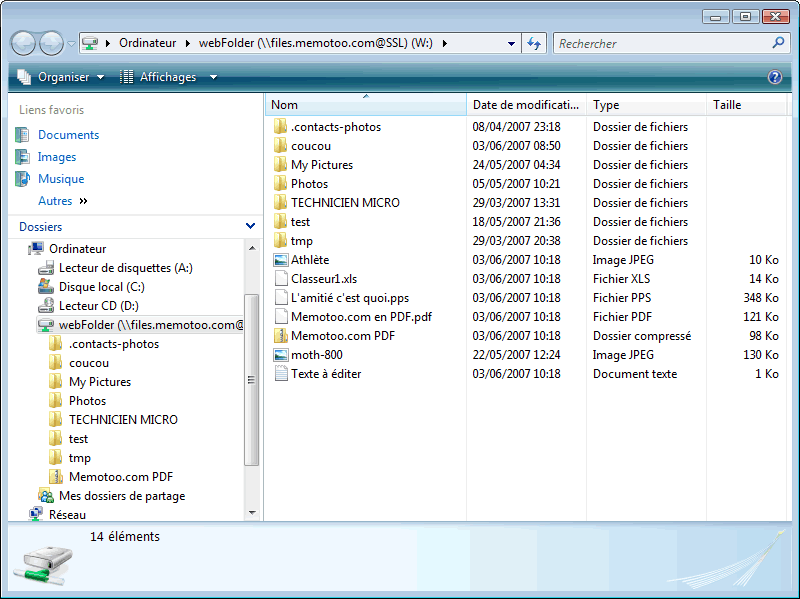
Web Folder in Windows Vista / Windows 7 - Connect network drive
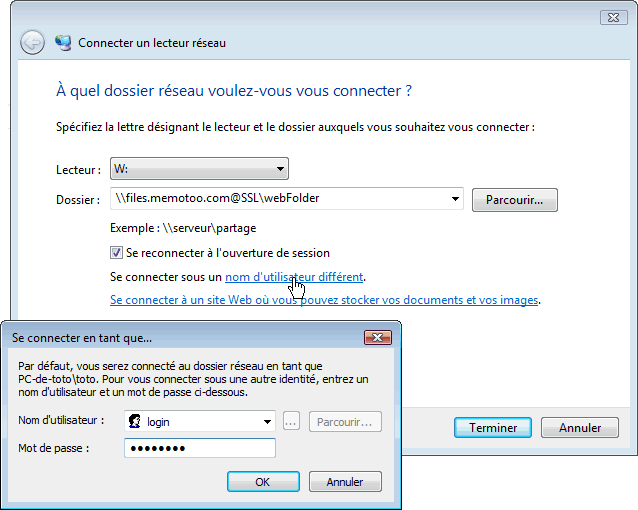
2 In "Folder", enter "\\files.memotoo.com@SSL\webFolder" and click "Connect using a different username" to set your username. Submit and you will find your Web Folder under the specified drive letter.
Web Folder in Windows Vista / Windows 7 - SettingsWeb Folder in Windows Vista / Windows 7 - Browse
or
1 Go to "Add a Network Location"
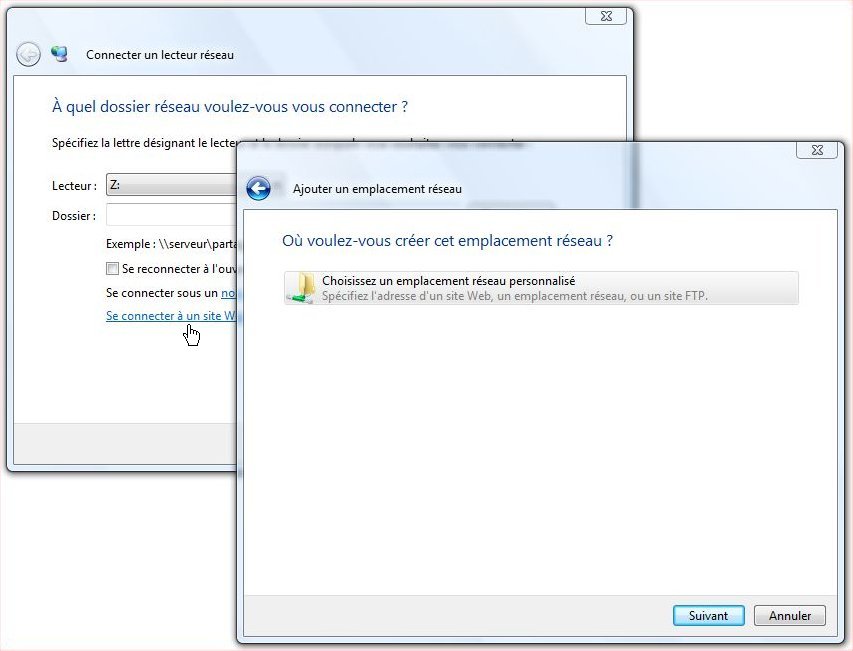
Web Folder in Windows Vista / Windows 7 - Connect network drive
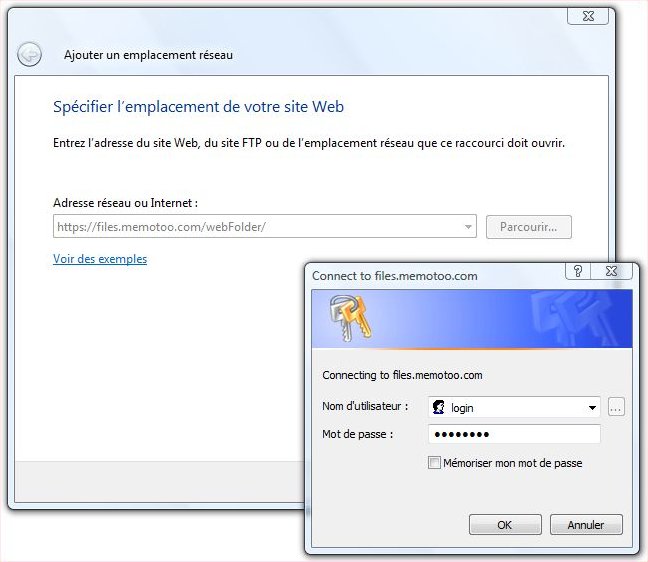
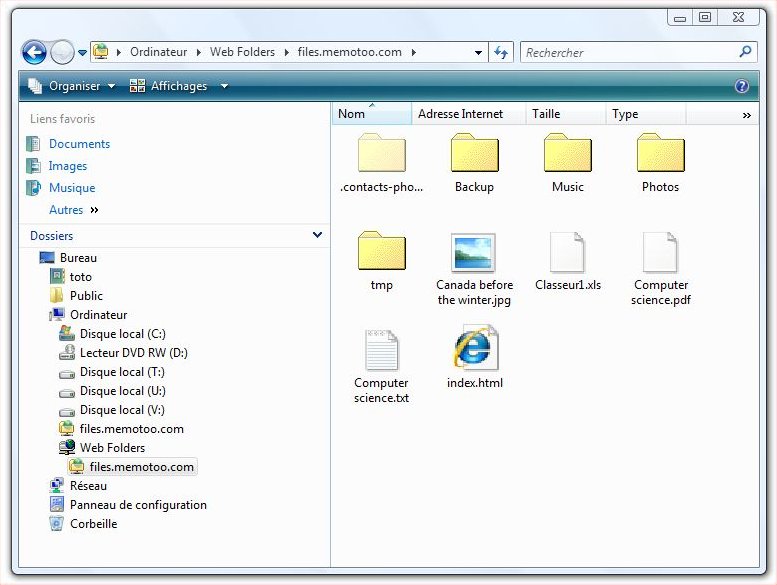
2 Click on "Connect to a website ...", select "Choose a custom network location", enter "https://files.memotoo.com/webFolder/" in "Internet or network location", and set your username. Submit and you will find your Web Folder.
Web Folder in Windows Vista / Windows 7 - Choose a custom network locationWeb Folder in Windows Vista / Windows 7 - Internet or network location
Web Folder in Windows Vista / Windows 7 - Browse
For Windows Vista / Server 2003, download: Windows Update for Web Folders (Microsoft.com) - KB907306Link

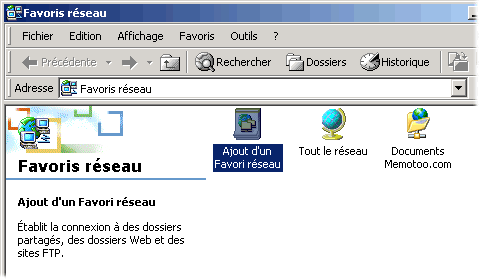
with Windows XP / ME / 2000 / 2003Microsoft Windows

with Windows 98 / NTMicrosoft Windows

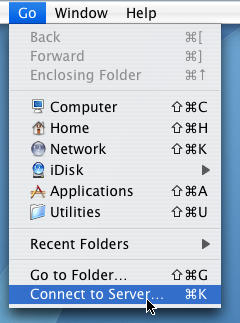
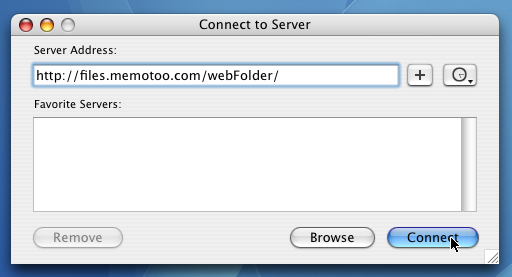
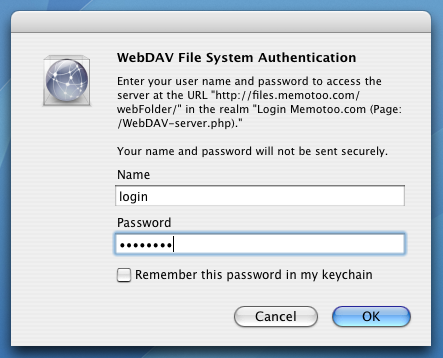
with Mac OS XMac OS X

with Linux (Ubuntu, Mint, ...)Linux

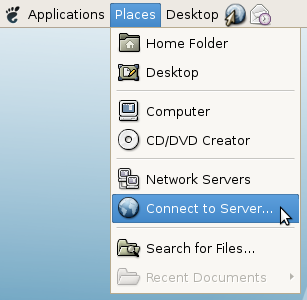
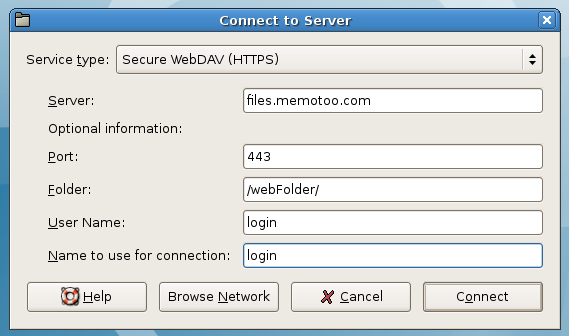
  • in Gnome / KDE, select "Places" / "Connect to server" in the menu and enter the information shown in the picture below:
    Web Folder in Linux (Ubuntu) - Browse Web Folder in Linux (Ubuntu) - Settings
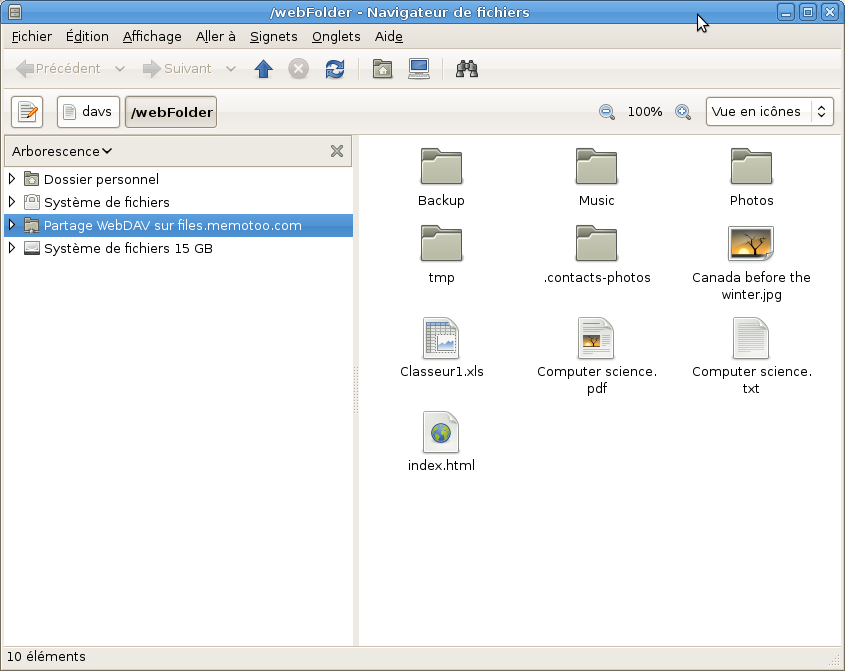
    Web Folder in Linux (Ubuntu) - Browse
or
or


How to sync my files with my computers (Windows, Linux, ...)?