Online help


| What do all the buttons do? | |
|---|---|
 | Go to specified / selected url |
 | Add specified URL to my bookmarks |
 | Search through my bookmarks |
 | Go to add / modify / delete bookmarks and folders |
 | Go to add / modify / delete e-mail addresses and mailing lists |
 | Go to add / modify / delete phone and fax numbers |
 | Go to add / modify / delete contacts |
 | Go to add / modify / delete events and tasks |
 | Manage my docs (files and folders) |
 | Customize my navigation toolbar and edit my account |
 | View information about the current or selected item(s) |
 | Modify the current or selected item(s) |
 | Move the current or selected item(s) |
 | Send a copy of your data by e-mail / Send a Memotoo address by e-mail |
 | Make a copy of this contact |
 | Delete the current or selected item(s) |
 | Address to give to people to access to this data |
 | Sort in descending order |
 | Sort in ascending order |
 | Download a business card (vCard format) of the current of selected contact(s) |
 | Download an event, a task or a note (iCalendar format) |
 | Locate your contacts with ViaMichelin.com |
 | Locate your contacts with Google Maps |
 | Locate your contacts with Maporama.com |
 | Locate your contacts with MapQuest.com |
Memotoo plugins for your browser
Memotoo on Windows desktop

 Access your files through a Web Folder
Access your files through FTP
Add Memotoo widgets to iGoogle , Netvibes
 , Windows Vista
 , Apple Dashboard
 , ...
, ...
, Netvibes, Windows Vista, Apple Dashboard, ...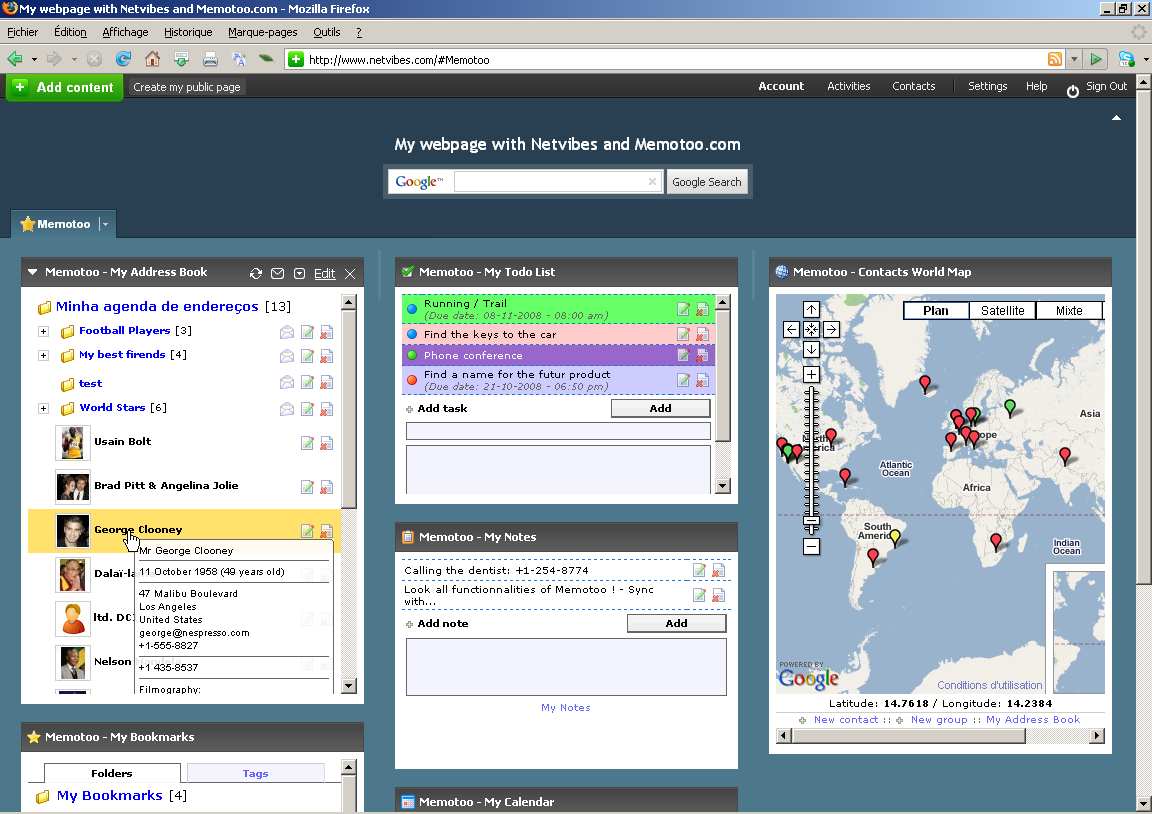 Example of a customized Netvibes homepage |
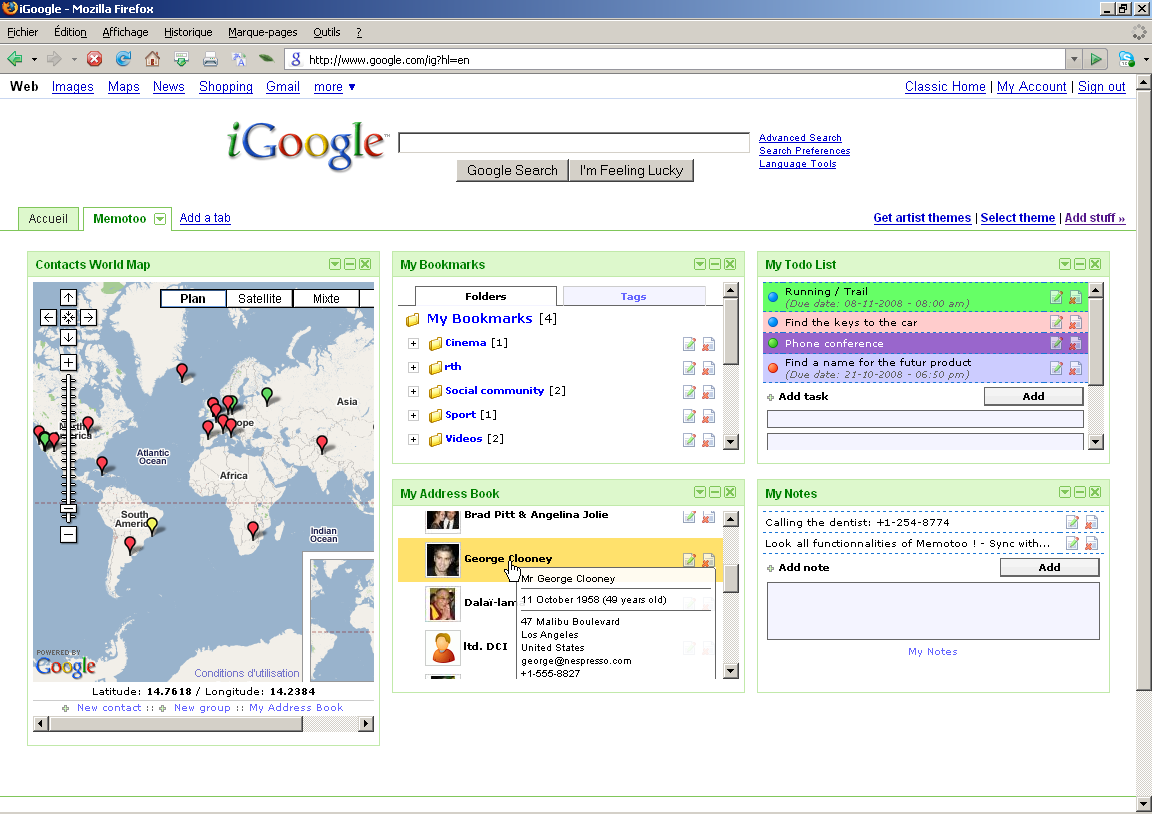 Example of a customized iGoogle homepage  |
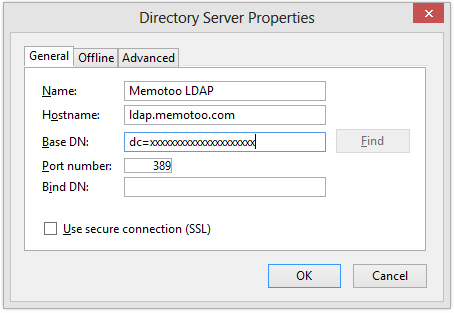
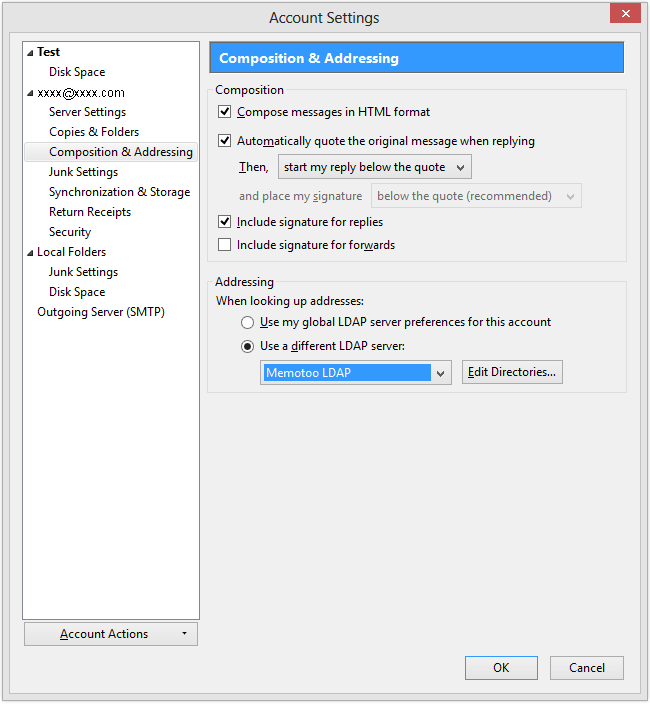
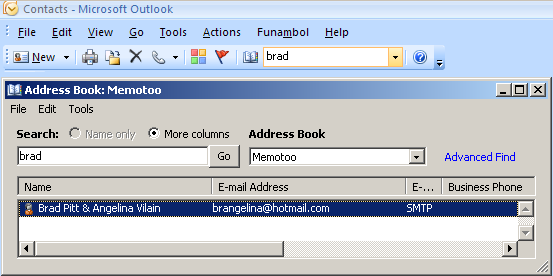
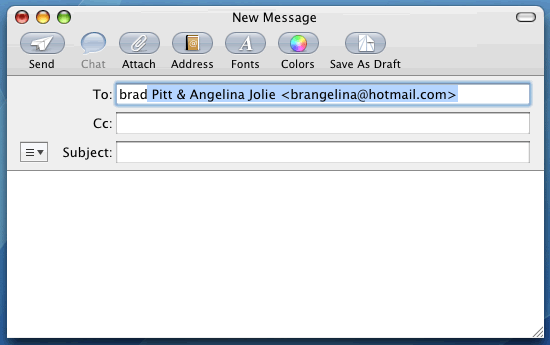
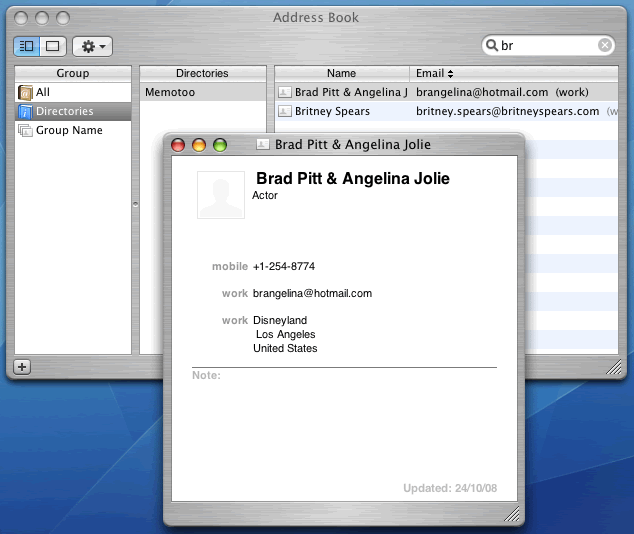
Access your contacts using a LDAP directory
With Mozilla Thunderbird you can access your Memotoo
contacts directly when you start typing an e-mail address: 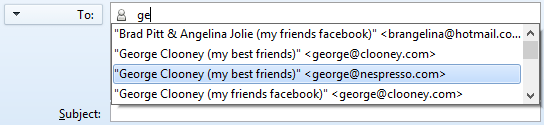
» Mozilla Thunderbird will show suggested e-mail addresses stored in Memotoo!
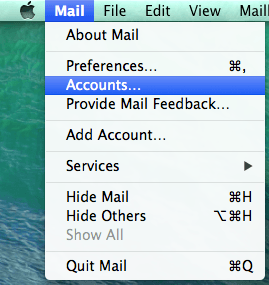
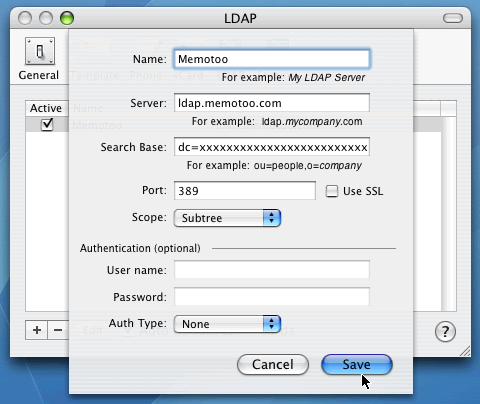
How to set it up:
|
 Mozilla Thunderbird
 Outlook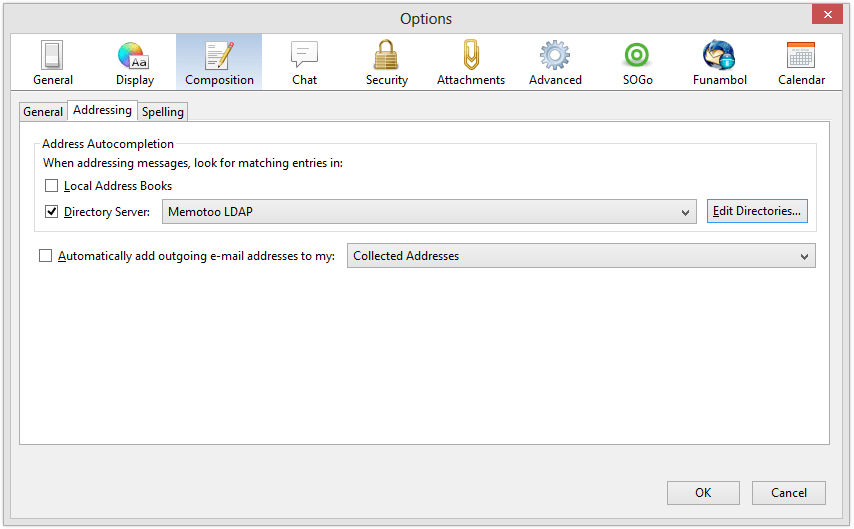
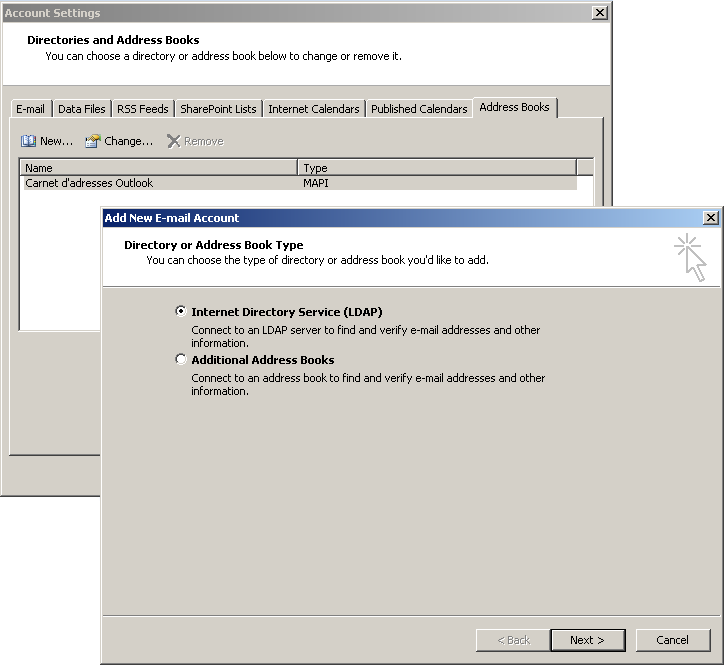
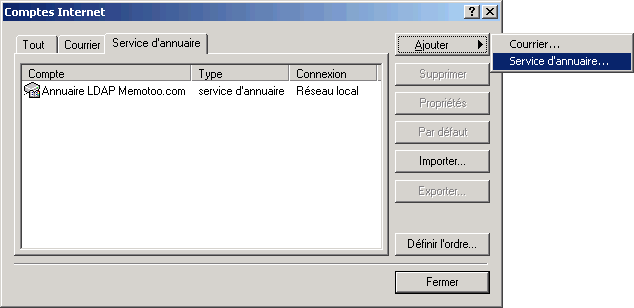
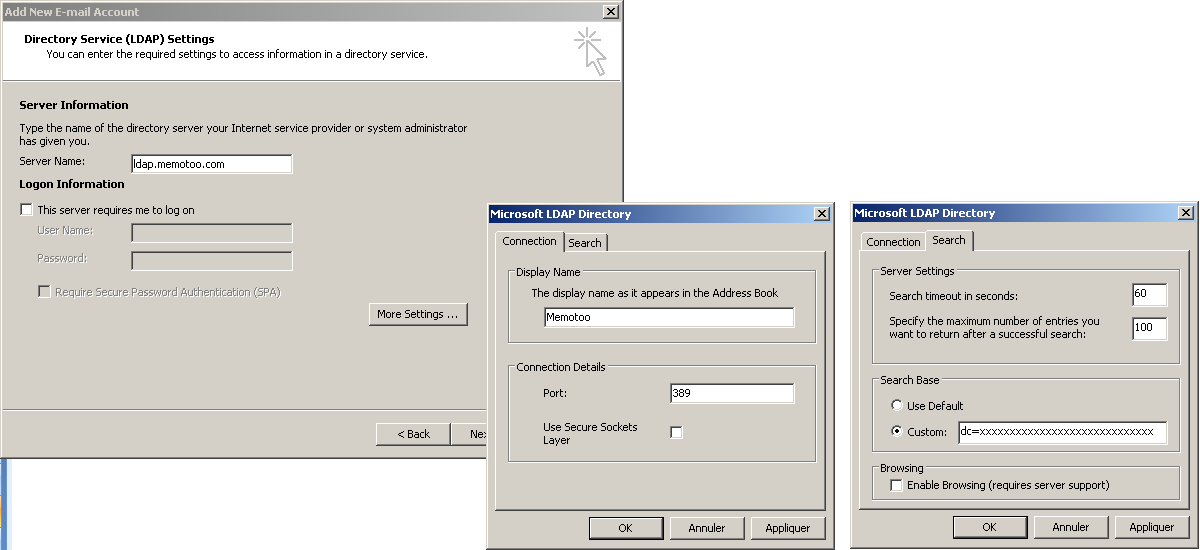
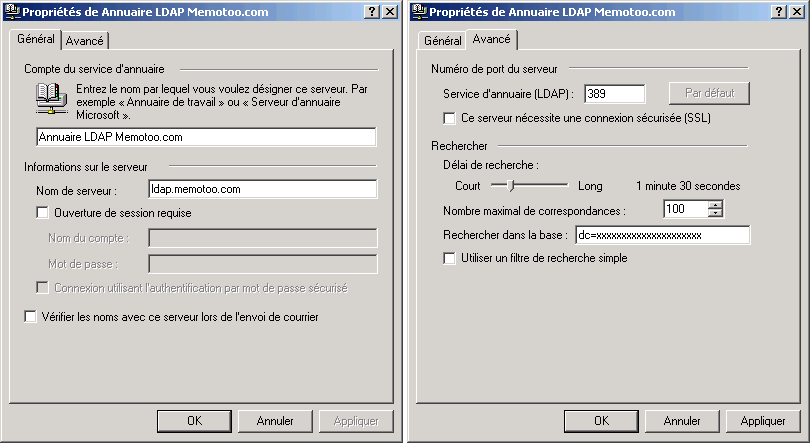
|
View your data on your mobile phone
Go to the address below with the browser of your mobile phone, log in, and view your data (address book, calendar, tasks, notes and bookmarks)!
|
 Sync your data with your mobile phone
After each synchronization your mobile phone and Memotoo will have the same data!
Motorola XT720 (Milestone) |
LG KU990i Viewty |
Samsung GT-i9300 (Galaxy SIII S3) |
HTC Desire |
LG F200 (Optimus Vu 2) |
... |


 Sync Google, Facebook, Outlook, ...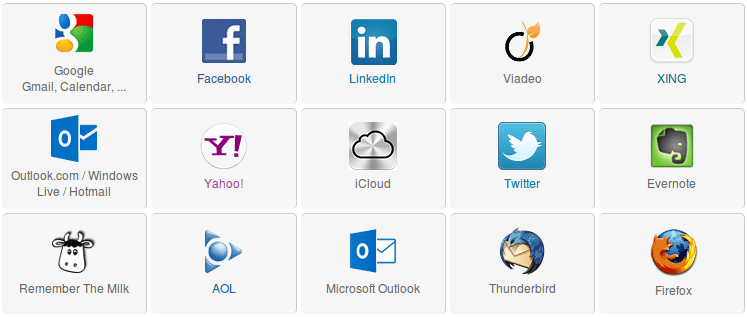
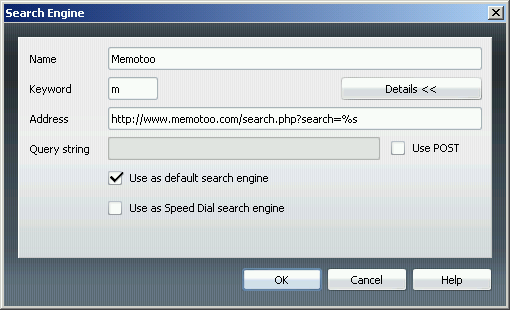
Add the Memotoo search engine to your browser
 Mozilla Firefox
 Internet Explorer
 Opera
Opera